Real-time speed without breaking focus
Download and upload activity updates at the interval you choose, in Mbps or MB/s.
Built for Windows 10 & 11
Live download and upload speed, quietly anchored above your taskbar. No dashboards to open. No account to create. Just the signal you need, where you already look.
Useful by design
NetSpeed Meter turns raw Windows adapter counters into a clear, compact readout and a useful local history.
Download and upload activity updates at the interval you choose, in Mbps or MB/s.
Keep the monitor just above the taskbar edge or drag it anywhere on your desktop. It snaps neatly to nearby edges.
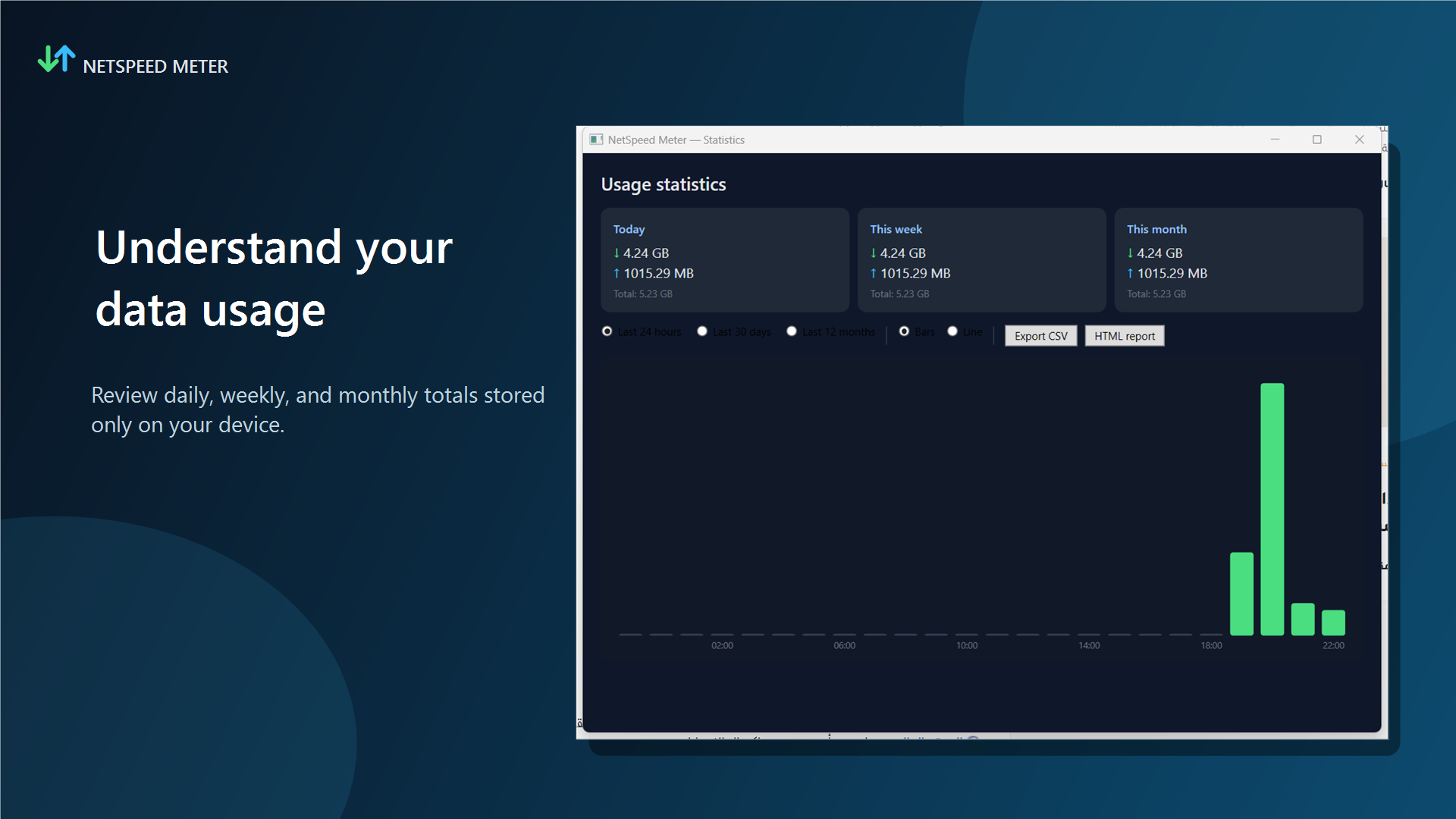
Understand how much data your Windows device actually used.
No packet inspection, analytics, advertising or cloud account. Measurements stay on your device.
Switch instantly between complete left-to-right and right-to-left interfaces.
Your desktop, your rules
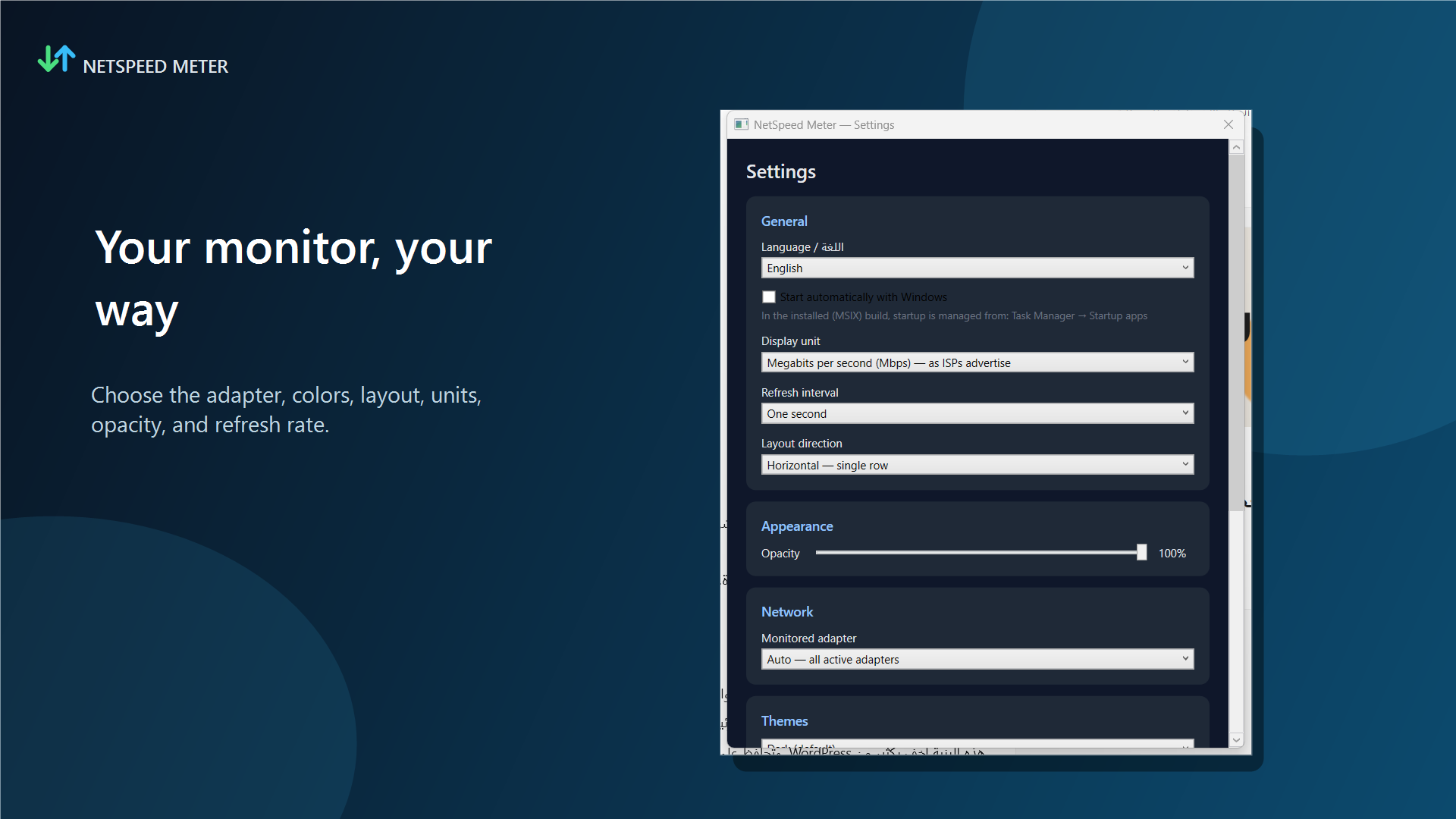
Choose what NetSpeed Meter watches and how it behaves. Changes apply immediately and persist automatically.
Local charts turn passive counters into a practical view of today, this week and this month.
NetSpeed Meter Plus · Planned
Plus is planned as a future one-time Microsoft Store upgrade after the initial app launch.
Dark, light and deep-ocean styles for the overlay.
Know when sustained speed falls below your chosen threshold.
Set a local data target and receive a warning when you cross it.
Export CSV or printable HTML and unlock detailed line views.
Straight answers
No. It measures the real traffic flowing through your active Windows network adapters, so it creates no test traffic and consumes no extra bandwidth.
No. It reads aggregate byte counters exposed by Windows. It does not inspect packets, URLs, browser history, messages, passwords or file contents.
Locally in your Windows user profile in a SQLite database. Nothing is uploaded to a LOXA LLC server.
Yes. The complete interface switches instantly between English LTR and Arabic RTL without restarting.
No. Plus is planned as a durable one-time Microsoft Store purchase for the current product.